


Kings mobile access – what works on your phone
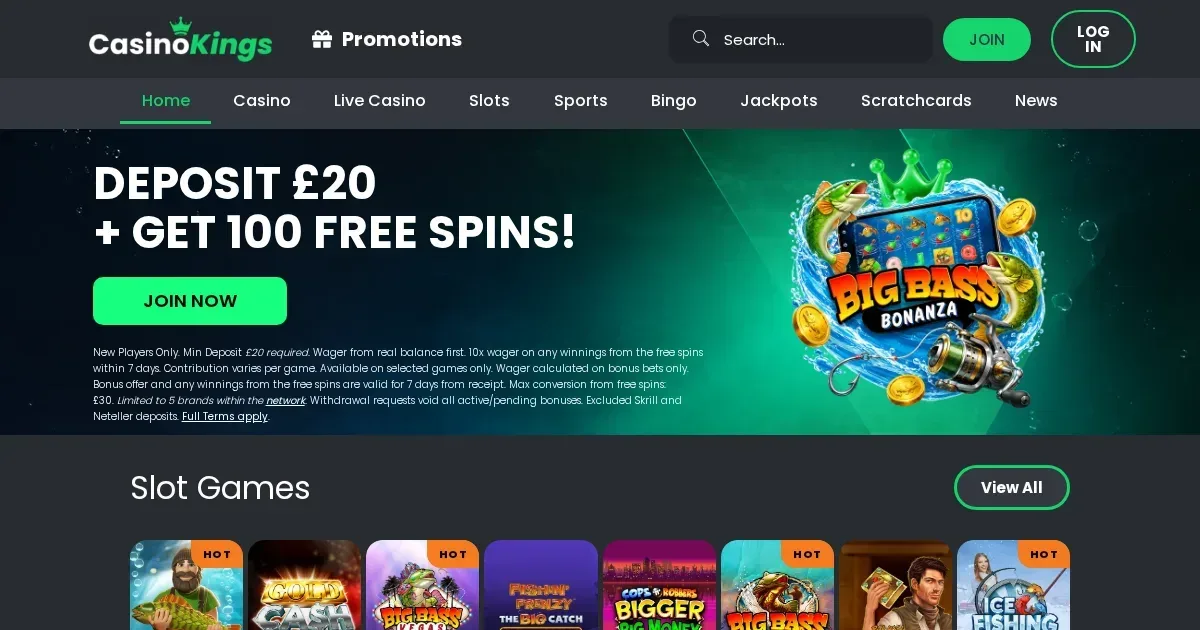
















Kings runs entirely in a mobile browser, with no native app required. You reach the same game library, cashier and support from a phone as you would on desktop, using the same account across both. The site adapts to smaller screens automatically, though some features work better on a larger display.
What to check before you play on mobile
A few practical steps keep the session smooth and secure, especially on a device you carry everywhere.
| Check | Why it matters |
|---|---|
| Connection stability | A dropped connection mid-spin voids the bet on some games; use Wi-Fi for cashier tasks |
| The correct address | Type kingscasino.fr directly – never follow a link from a message you didn't expect |
| Deposit limits | Set them before the session starts, not during it; our tools include daily, weekly and monthly caps |
| Shared devices | Always sign out when finished; fingerprint unlock does not replace logging off |
Battery life drops faster when running graphics-heavy slots. Longer sessions need a charger nearby, and a locked screen pauses most games rather than spinning on.
How to reach the site from a phone
Access works the same way on iOS and Android, with no separate downloads or account registration.
- Open Safari, Chrome or your phone's default browser
- Navigate to kingscasino.fr
- Log in with the same username and password you use on desktop
- The homepage adapts to your screen size automatically
- All sections – slots, live dealer, cashier, support – appear in the main menu
We run no native iOS or Android app. The entire experience lives in the browser, which means no App Store or Google Play listing to find, no storage space consumed, and no separate updates to install. Your account balance, bonus progress and game history sync across every device you use.
Add the site to your home screen if you want one-tap access: in Safari tap the share icon then "Add to Home Screen"; in Chrome tap the three dots then "Add to home screen". The shortcut opens the site directly without typing the address each time.
What you can do from a phone – cashier, games and support
Most day-to-day tasks work as well on a small screen as they do on desktop. Deposits process through the same methods – Visa Debit, Mastercard Debit, PayPal, Skrill, Neteller, Payz, bank transfer and Pay N Play – with the same £10 minimum. Withdrawals require the same £5 floor and carry the same 1% fee up to £3.
The games library sits at over 4,000 titles, and every slot, table game and live dealer table that runs on desktop runs on mobile too. Providers include Pragmatic Play, Big Time Gaming, Blueprint Gaming, Elk Studios and Microgaming. Search and filters work identically; demo play is available where the desktop site offers it.
Live dealer games stream clearly on a good connection, though a small screen makes it harder to read the chat and bet history panels at the same time. Portrait orientation suits slots better; landscape suits live tables and most card games.
Support channels – live chat, email at [email protected], and the contact form – are reachable from the menu. Live chat opens in a panel that overlays the game rather than forcing you to leave the page.
Verification documents can be uploaded through the cashier on a phone. Most players photograph their ID and proof of address with the phone's camera and submit them immediately, which is faster than scanning on desktop.
Age-based stake limits apply everywhere
The £2 maximum per spin for players aged 18 to 24, and the £5 cap for those 25 and over, are enforced identically on mobile and desktop. The restriction applies to slots only, not to live dealer or table games, and is checked at account level rather than per device.
Where mobile is worse than a larger screen
A phone works for most tasks, but a few things get cramped or harder to use.
- Scrolling through the full game library takes longer on a small screen; filters narrow the list, but desktop shows more tiles at once
- Reading terms and wagering rules in full is harder in a narrow window; legal text does not reflow well on a phone
- Live dealer side bets and statistics panels compress into overlays you toggle rather than seeing all at once
- Typing longer messages to support – explaining a problem in detail is slower without a keyboard
No feature is blocked outright, but tasks involving heavy reading or multiple panels open at once are easier on a laptop. Battery drain becomes noticeable after an hour of continuous play, especially on live dealer tables where video streams constantly.
Keep session limits in mind. A phone is always within reach, which makes it easier to play longer than planned – set a time-out before you start rather than relying on willpower mid-session.
Responsible play on a device you carry everywhere
A phone is more convenient than a desktop, and convenience cuts both ways. Our responsible gambling tools work identically on mobile: deposit limits, net deposit limits, wager limits, loss limits, session limits, reality checks, time-out periods from 1 to 42 days, and self-exclusion from six months to five years. Any reduction takes effect immediately; any increase takes 24 hours.
Gambling should be entertainment, not something you do to fill time or because the app is open. If you find yourself playing during work, during meals or late at night when you meant to stop, that is a pattern worth noticing.
Questions worth asking yourself: Do you play more often since switching to mobile? Have you increased deposits because it's easier to top up on a phone? Do you check the site when you're bored, even when you weren't planning to play?
Free, confidential support is available 24/7 through GamCare at 0808 8020 133, and through BeGambleAware. GamStop provides free national self-exclusion across all licensed sites in Great Britain. Blocking software – Gamban and BetBlocker – works on phones, tablets and computers.
You must be 18 or over (18+) to access this site. If you share a device with anyone under 18, parental-control software such as Net Nanny or Qustodio blocks access to gambling sites at the device level.
For editorial questions about this page, contact [email protected]. For account help – deposits, withdrawals, verification or technical problems – reach our support team at [email protected], available around the clock.
Access to this site is restricted to persons aged 18 and over (18+). We want your play to stay enjoyable – for free, confidential support, visit BeGambleAware.org.
Frequently asked questions
Do I need to download an app to play Kings on my phone?
No. Kings runs entirely in a mobile browser – Safari, Chrome or any default browser on iOS and Android. There is no native app to download, and no separate registration required.
Can I deposit and withdraw from a phone?
Yes. The cashier works identically on mobile and desktop, with the same payment methods, the same £10 minimum deposit, the same £5 minimum withdrawal, and the same 1% fee up to £3 per withdrawal.
Are all the games available on a small screen?
Yes. The full library of over 4,000 slots, table games, live dealer tables, jackpots and bingo runs on mobile. Demo play is available where the desktop site offers it.
What happens if my connection drops mid-game?
Most slots void the bet and return the stake if the connection is lost before the spin completes. Live dealer games pause and hold your seat for a short time, but the hand continues without you if the reconnect takes too long.
Game Providers